


Tangible Tools for Collaboration · 2025
Vision Board Pro
A tangible ideation tool that streamlines how design teams present, discuss, refine, and finalize ideas — blending hands-on interaction with digital flexibility to produce a polished, cohesive idea book.
01 · The Problem
Scattered ideas, slow decisions
Design teams often find it difficult to transform a large number of scattered, constantly evolving ideas into a unified and actionable concept. When a team tries to discuss multiple solutions at once, traditional collaboration rarely presents, compares, and articulates them together.
Key ideas get lost in long discussions, decision-making slows down, and the whole ideation phase suffers.
02 · Research
Feedback gets lost between tools
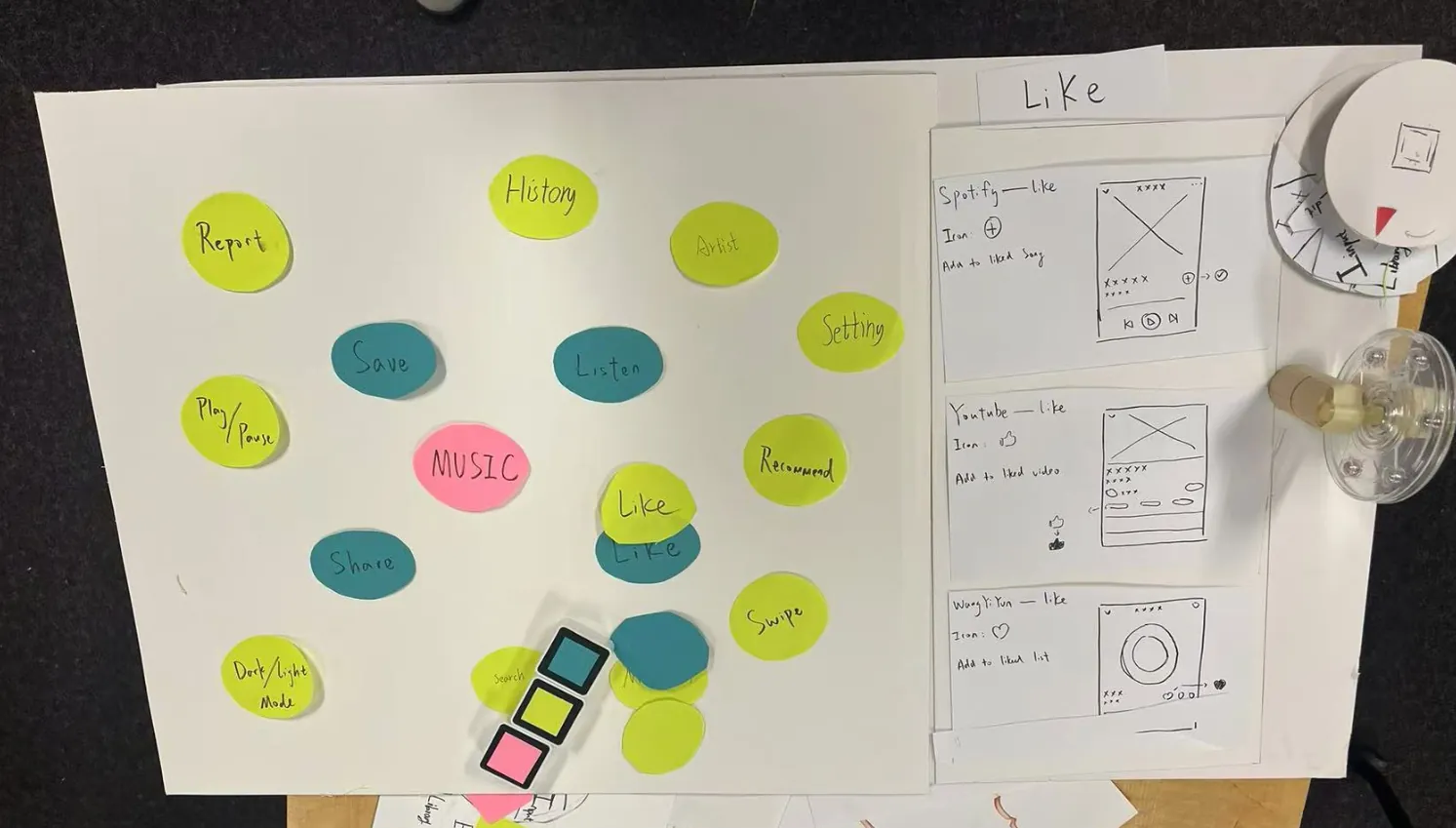
Through competitive analysis and case studies, we found that teams at the early idea stage still rely on traditional communication — or barely use digital tools at all — which makes ideas hard to manage and the thinking process hard to keep coherent.
Through interviews and observation, including a conversation with Professor Gregory Cowley about design tools, three pain points kept coming back:
Lost in translation
Feedback received during communication is often lost or misunderstood in the transition between tools and platforms.
Disconnected tools
Each profession presents ideas with its own tools, so teammates cannot smoothly access the same information.
Hard decisions
Without quantitative data, people cannot quickly pick the strongest ideas out of a large pool.
Journey map → flow
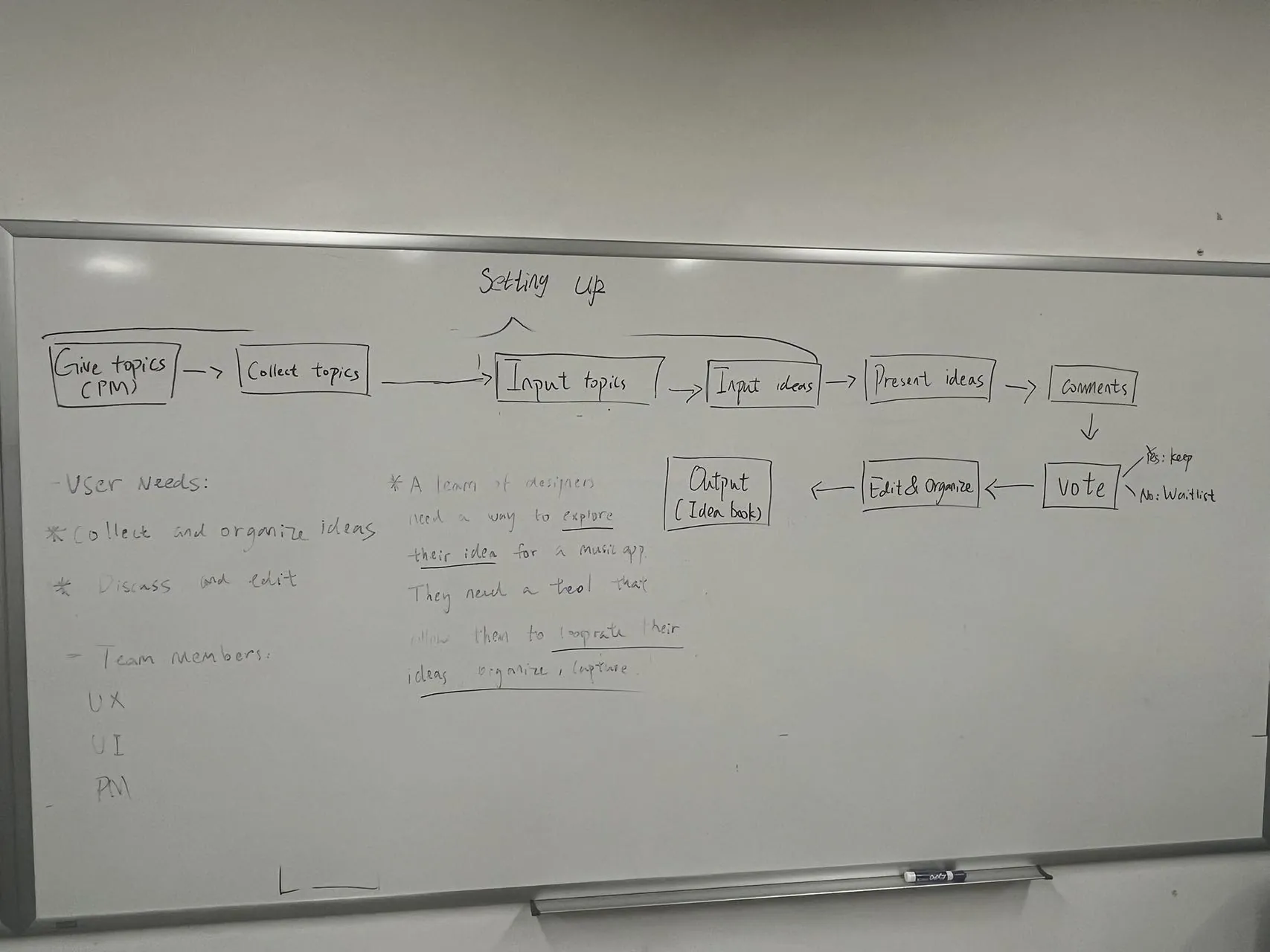
Three personas — UI designer, UX designer, engineer — plus a project manager led us to the core flow: present → discuss → vote → output.
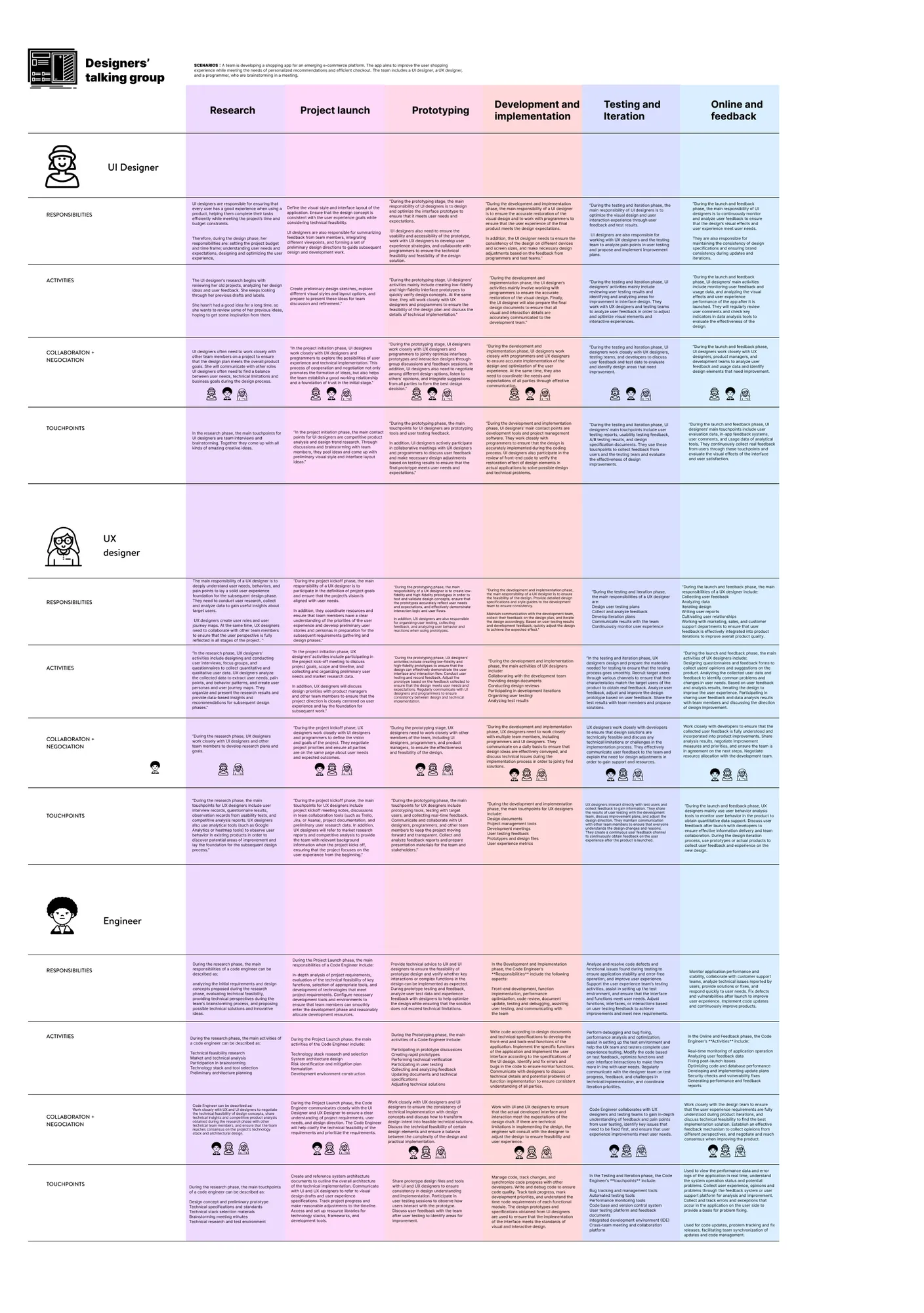
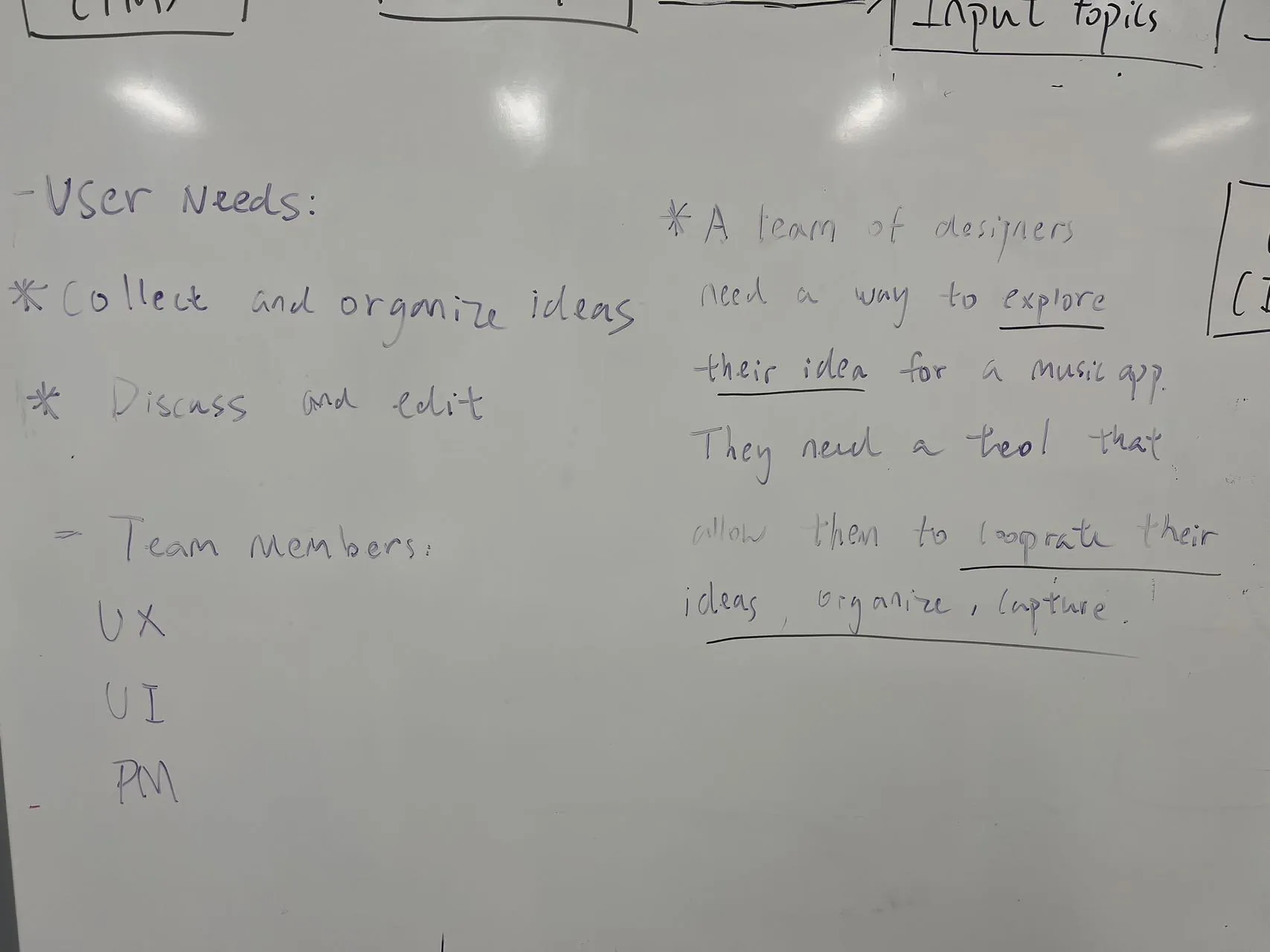
Personas and early user-need mapping from the research phase.
03 · Design Framework
Evaluating ideas with Don Norman's concepts
Affordance
"The relationship between a physical object and a person (or any interacting agent)."
Constraint
"Limitations or restrictions on the possible actions that can be performed."
Signifier
"Signals that indicate where the action should take place."
Feedback
"Sending back information about what action has been done and what has been accomplished."
04 · Prototype Iterations
Two rounds of trial and error
V1 — File-based presentation. Users upload all their files, filter them during the presentation, and output an idea page. Testing showed uploads were too slow: each file had to be added separately, so the material users could show stayed limited, and efficiency barely improved.
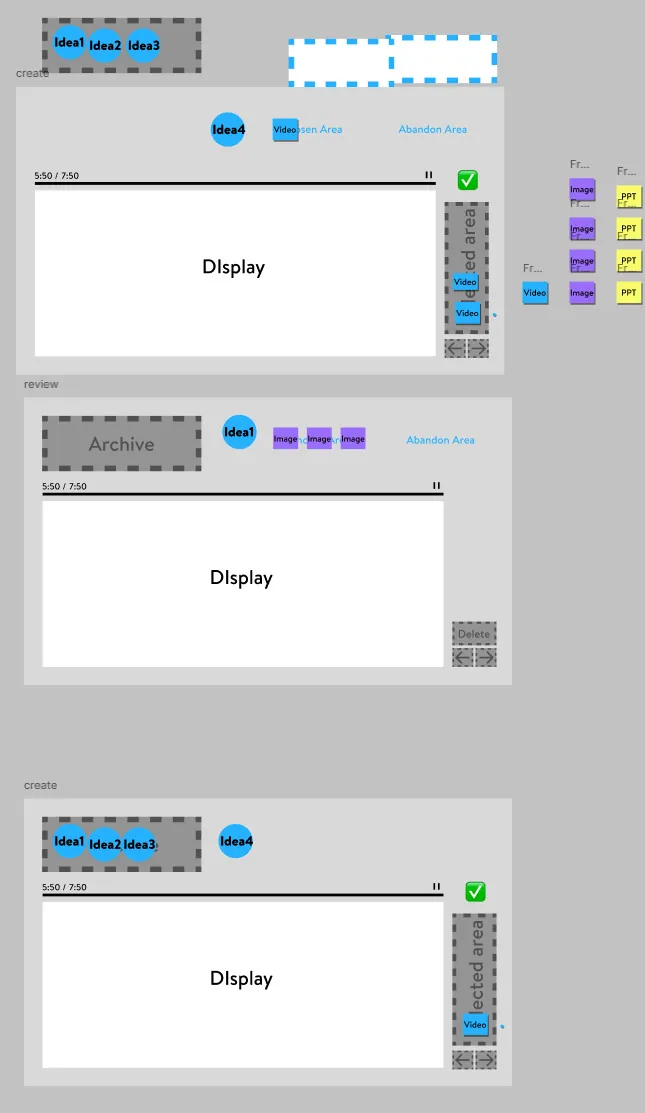
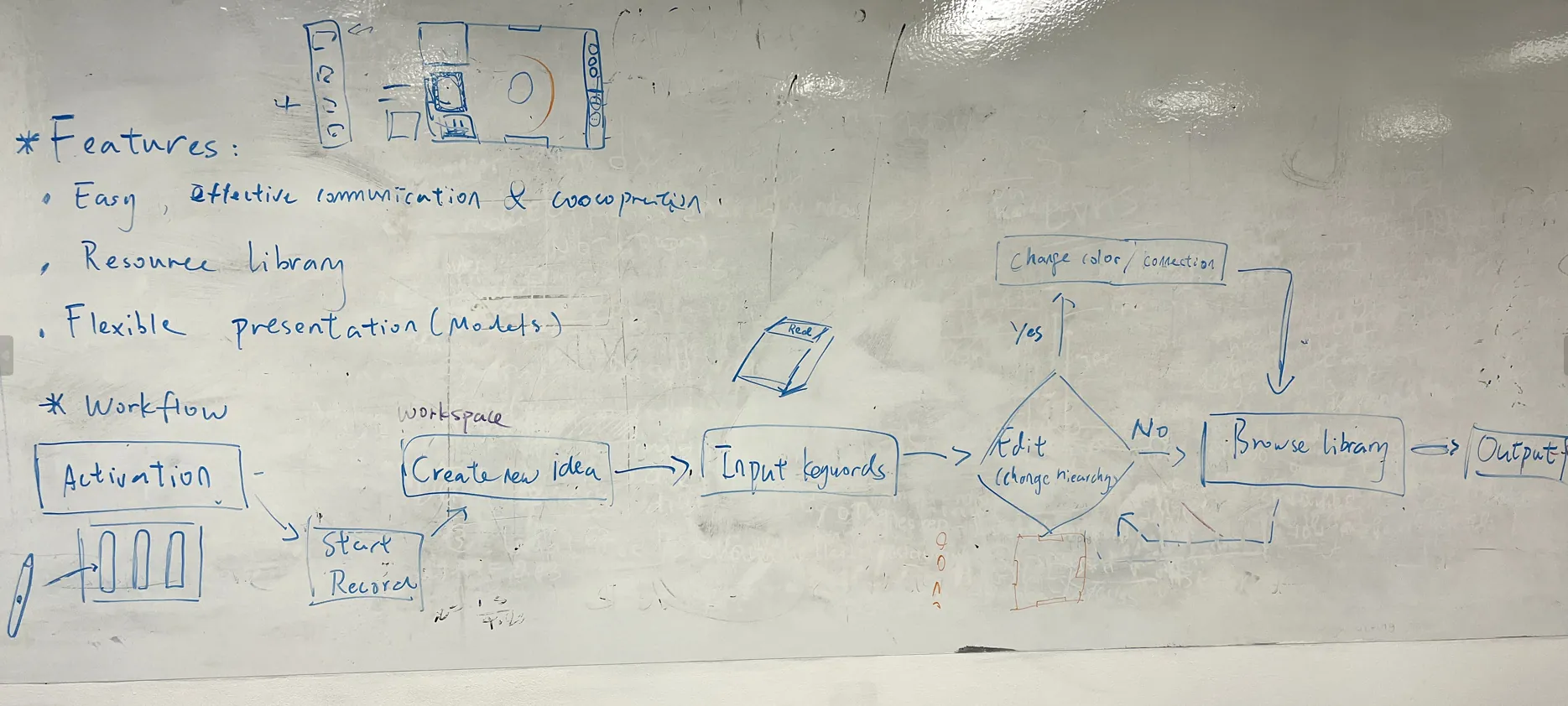
V2 — Keyword mind maps. We shifted the focus to keywords: a graph editor for mind maps and hooked modules, a scroll wheel to arrange keyword hierarchy, and a library to search and associate keywords online. But users still could not present their ideas effectively — grouping ideas still needed extra software or offline discussion.
The decision: reorganize the user needs, merge V1 and V2, and keep presentation at the center — which became the final four-step flow below.
05 · The Tangible Device
A wheel that carries your ideas
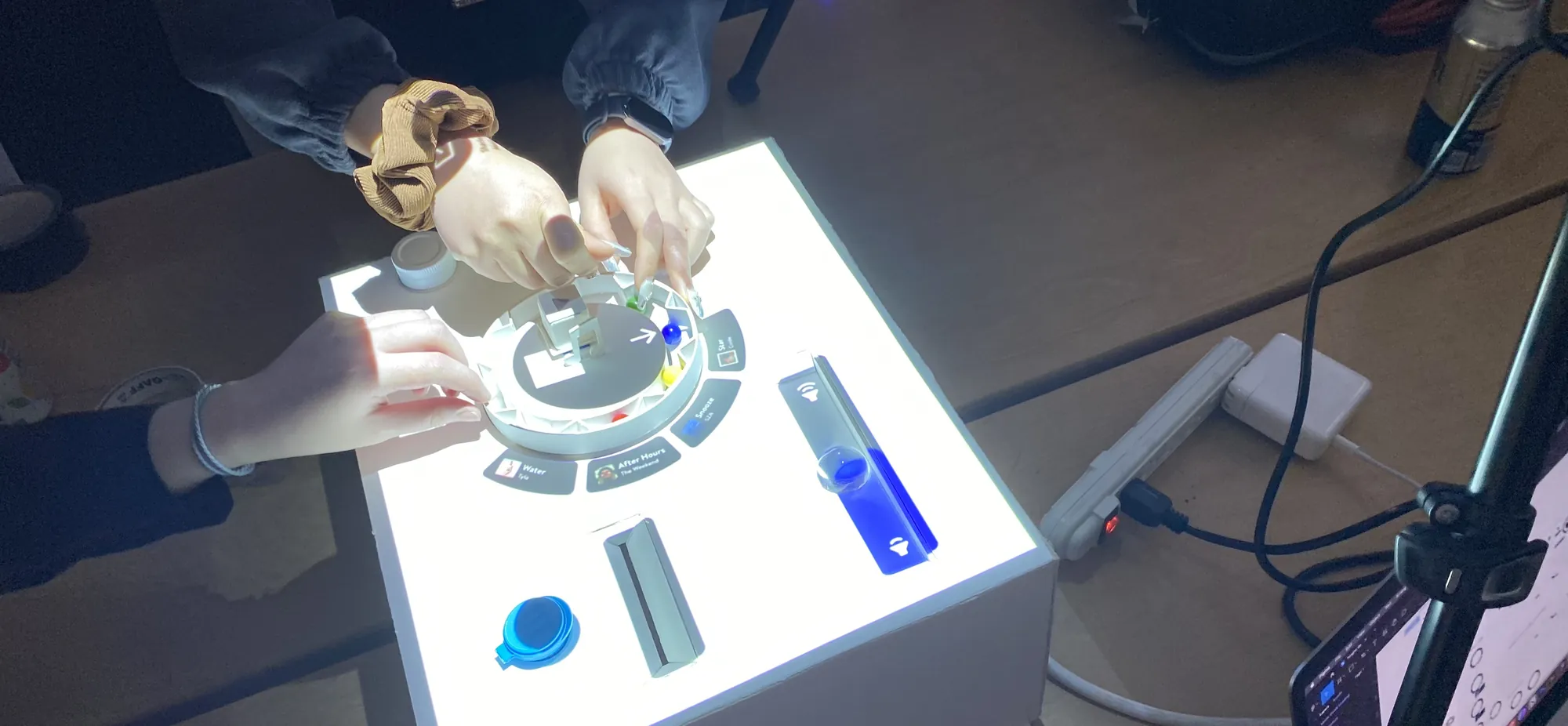
Each team member has a physical wheel. Placing it in the recognition area lights up that member's idea list; twisting it scores ideas during voting. The tangible layer keeps every operation visible, intuitive, and confirmed on the spot.
06 · Final Solution
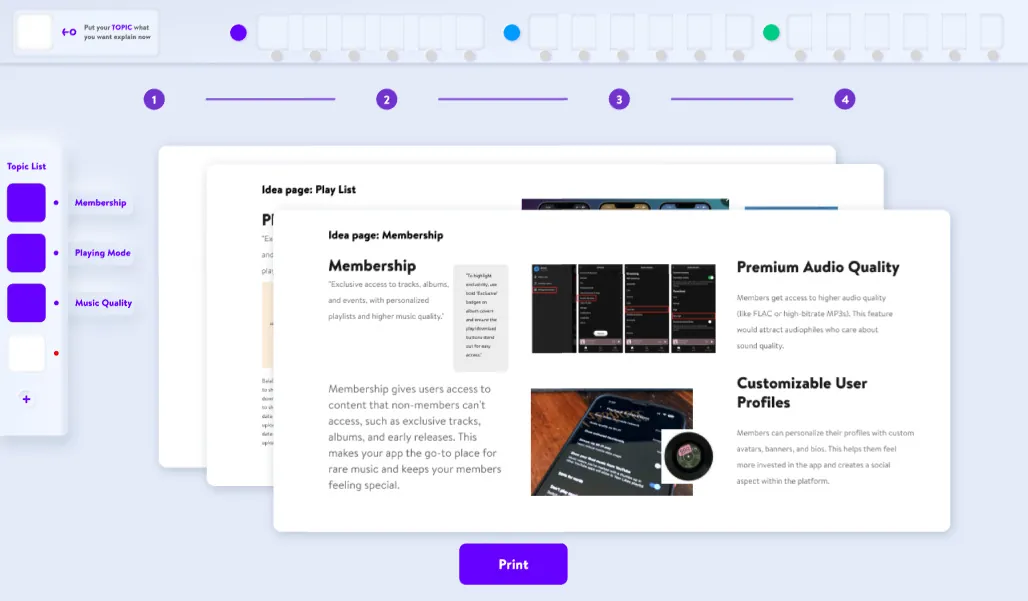
A four-step ideation flow
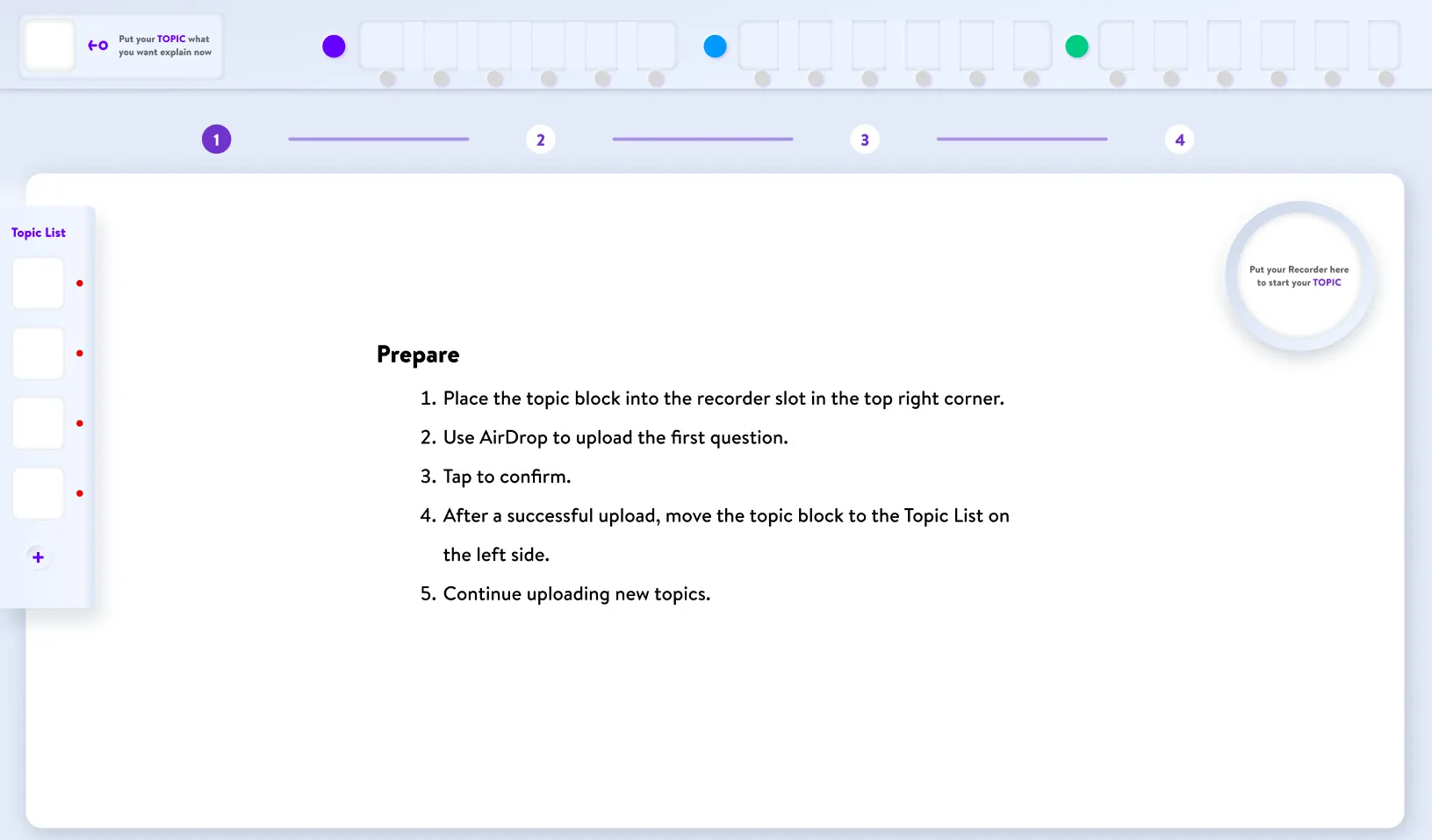
Prepare
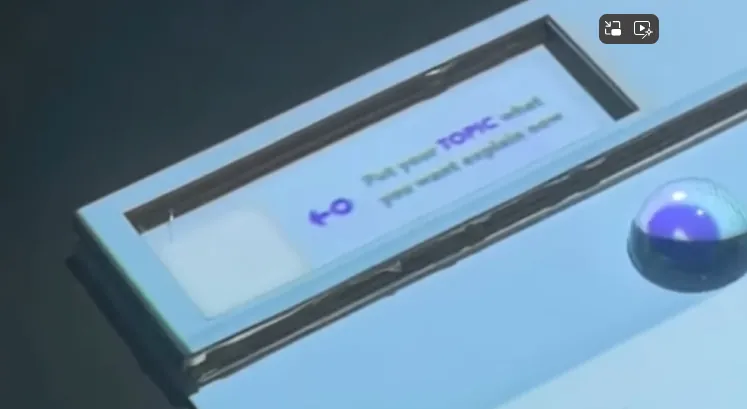
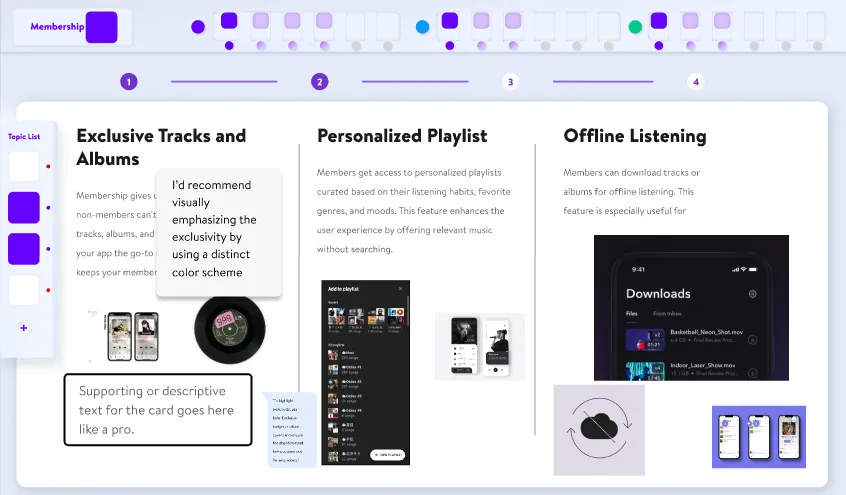
The product manager uploads all the topics to be discussed and selects one to start the session.
Present
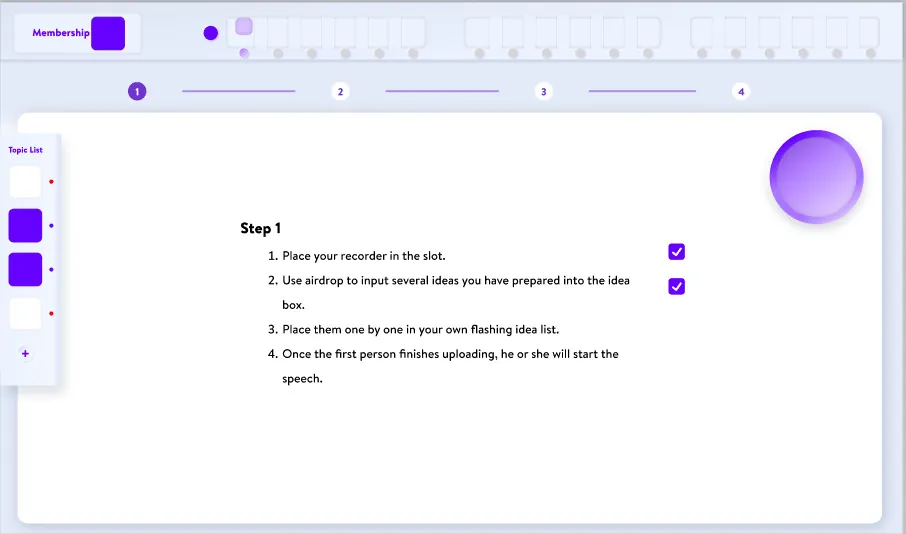
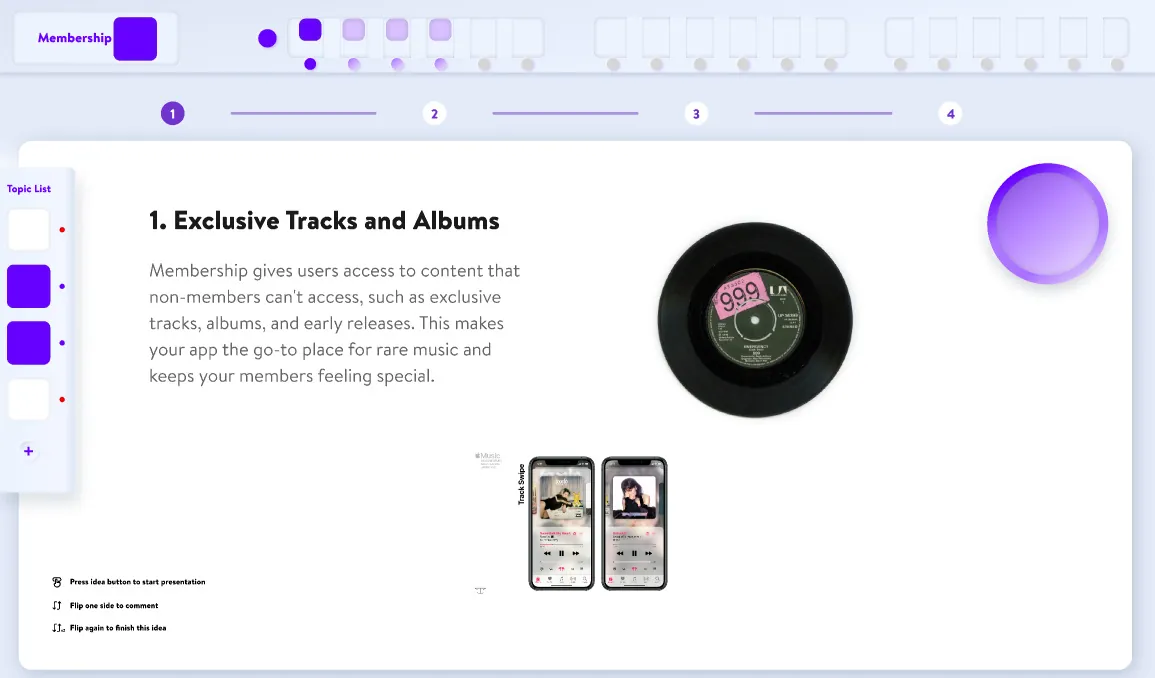
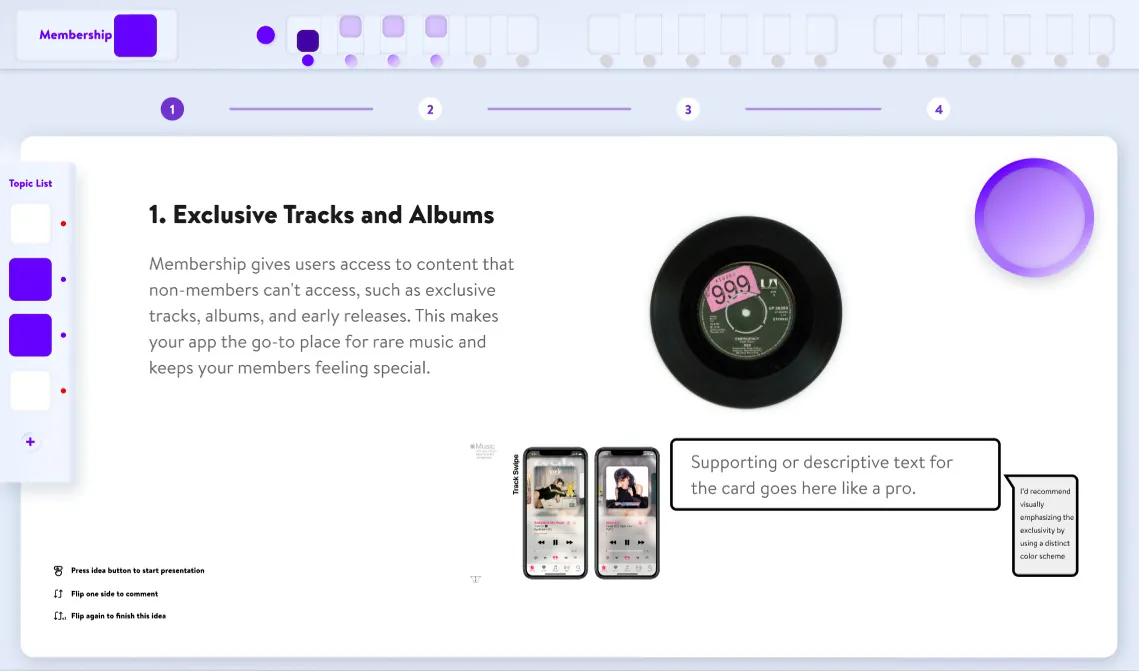
The speaker places their wheel in the recognition area and their idea list lights up. Ideas are uploaded into idea boxes; scrolling down enters the comment stage, where the team discusses and adds notes; swiping up moves to the next idea until everyone has presented.
Vote
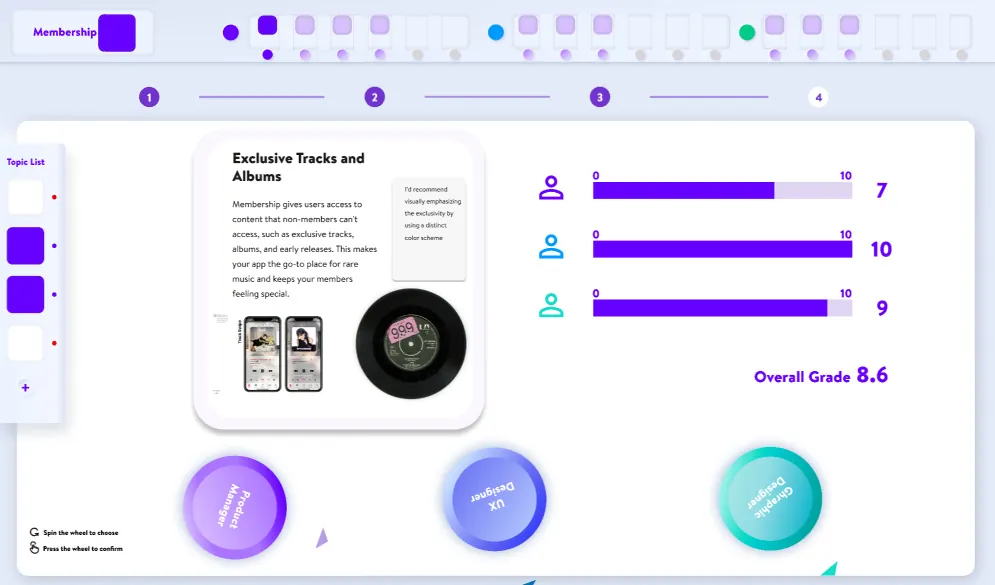
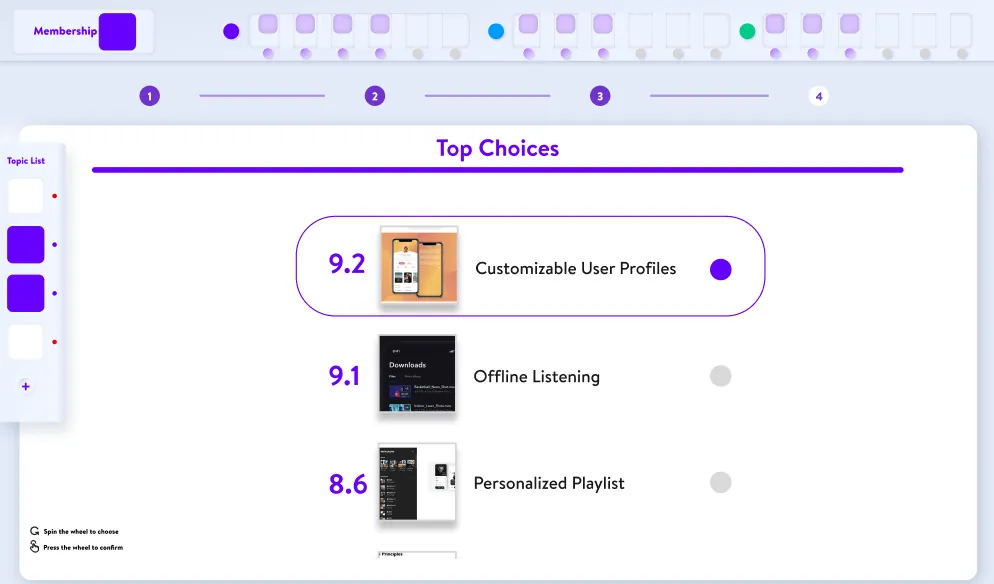
Ideas are discussed together, then everyone twists their wheel to score each idea. The team receives a Top Choices list, and the product manager picks the ideas to keep.
Output
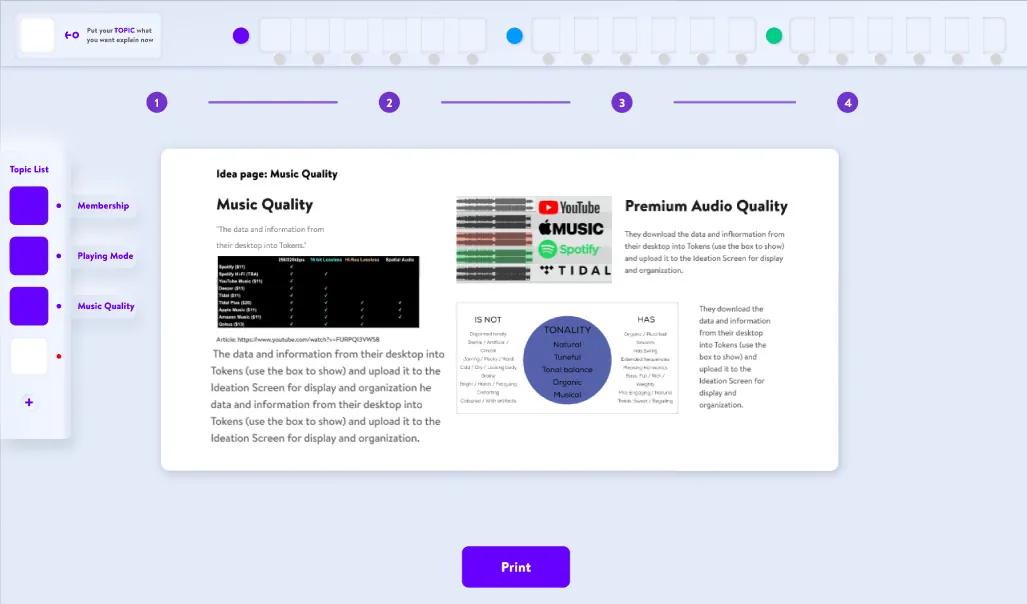
The product manager edits the layout of the selected ideas and puts the finished topic page back on the topic list. Once all topics are covered, the team gets a topic book that can be printed as a physical artifact.
07 · Reflection
What we learned
Components are essential
Skipping them early cost us hours of visual cleanup — once adopted, quick editing let us focus on details and shooting.
Feedback and undo
Users need feedback on every operation to act with confidence, and a way back when they make mistakes.
Physical elements win
The tangible layer makes operations more attractive and intuitive than a purely digital interface.
Next time
Flesh out the return logic into a real prototype, and replace the smoke-and-mirrors layout stage with a substantial editing interface.