Fast-changing market
Electronic products update frequently, so learning and comparison must happen quickly.


Product Design · Recommendation UX · Academic Project
A mobile recommendation experience that helps college students and computer beginners understand configurations and choose a machine suited to their major, favorite games, performance expectations, and budget.
Computer selection · Guided matching
PCrec translates specifications into dimensions a new buyer already understands: study, games, price, and portability.
LEARN · MATCH · COMPARE · BUY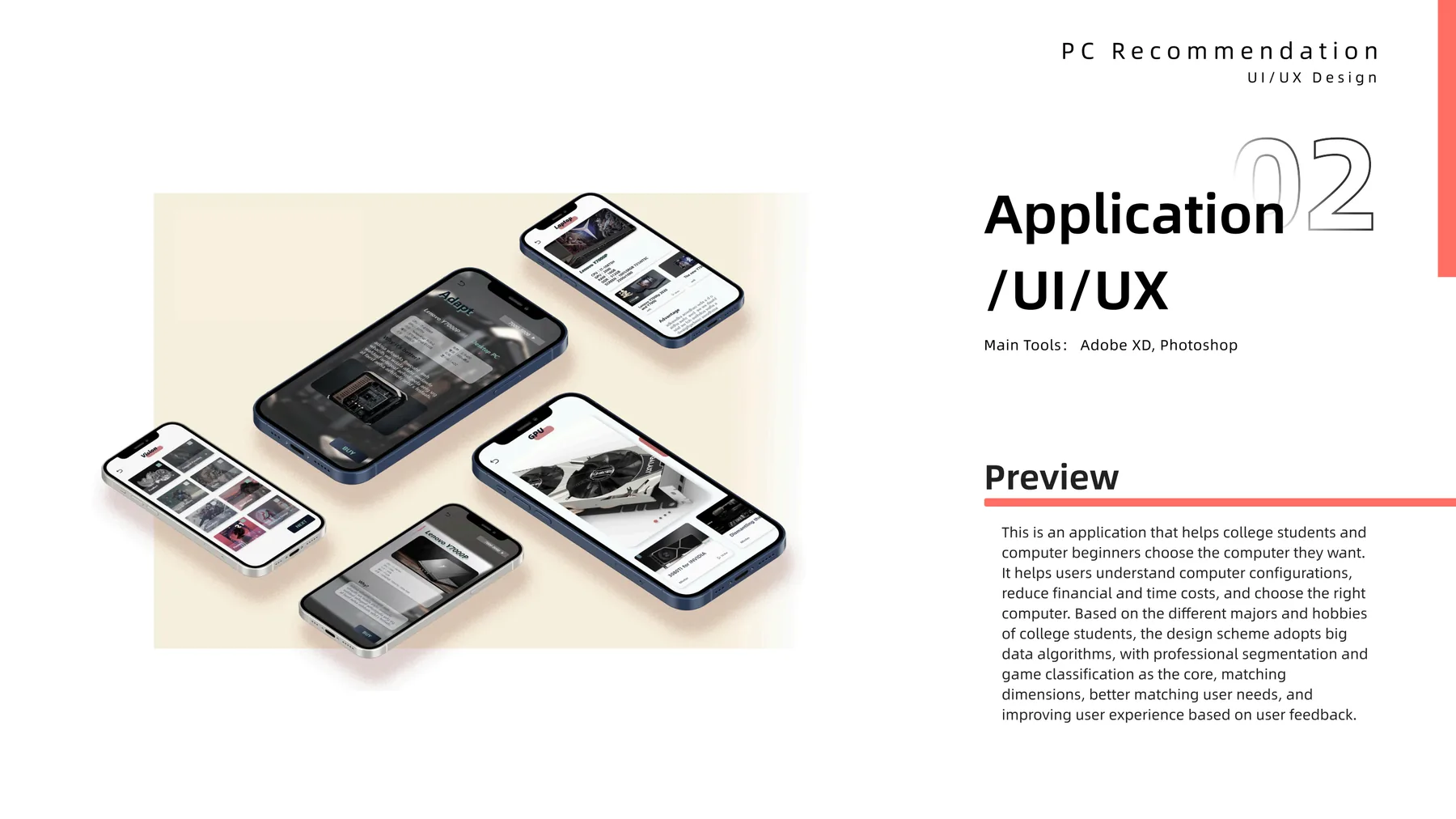
01 · The Problem
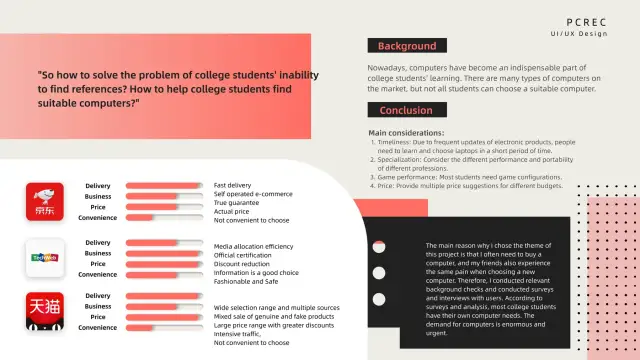
Computers are essential to university study, but the market asks first-time buyers to translate processors, graphics cards, displays, and product tiers into a confident purchase. Students often rely on friends, teachers, forums, and multiple stores, then repeat the comparison when advice does not match budget or specialization.
The opportunity was to combine professional device information with the diversity of real student needs.
Electronic products update frequently, so learning and comparison must happen quickly.
Animation, design, engineering, and general study place different demands on a computer.
Many students also need the machine to support specific genres and performance levels.
A useful result needs multiple price suggestions rather than one idealized configuration.
02 · Persona & Insight
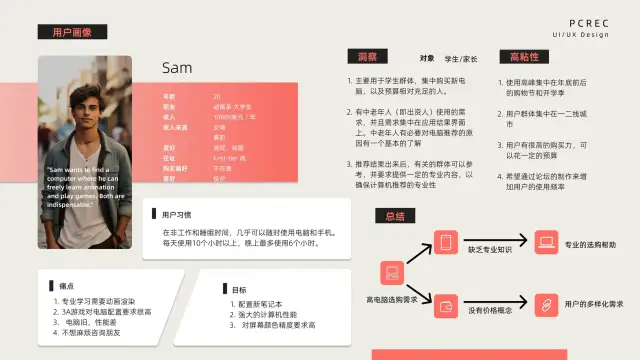
Sam is a 20-year-old animation student who uses computers and phones for more than ten hours a day. His current machine is underpowered, animation rendering and 3A games demand a high configuration, display color matters, and he does not want to keep asking friends for advice.
This persona makes the recommendation problem concrete: a result is only credible when it explains the fit across several competing needs.
03 · Journey Reframe
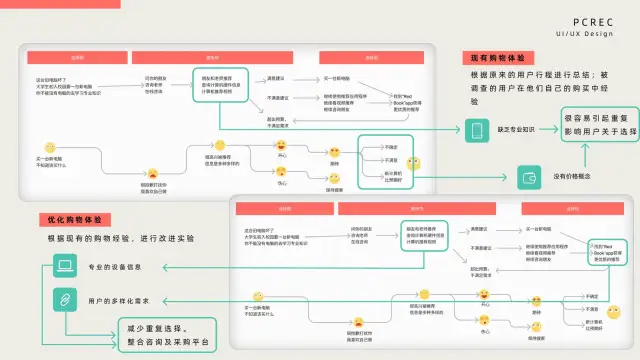
The current journey branches between advice, retailer research, video reviews, forums, budget adjustment, and renewed searching. The improved journey keeps consultation, recommendation, comparison, and purchase links inside the same service.
Choose a major, project type, game genre, and basic preferences.
Use those dimensions to produce several relevant configurations.
Show advantages, limitations, and why each machine is recommended.
Connect the selected model to available retail channels and prices.
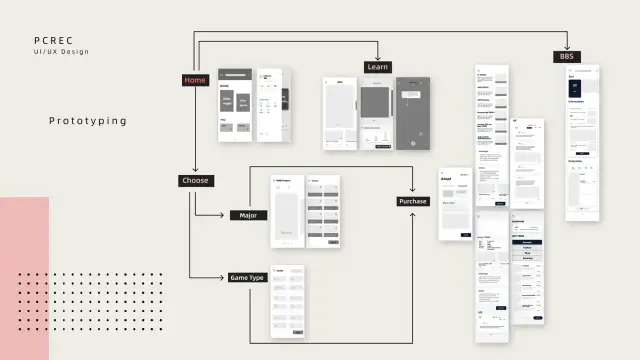
04 · Product Structure
Start by major, game type, learning content, or recommendation history.
Select professional tasks, visual priorities, and preferred game genres.
Browse component explainers and connect specifications to practical use.
Read discussions and evaluations that add lived experience to the recommendation.
05 · Design Outcome
Familiar inputs
Users begin with majors, games, projects, and budget instead of hardware jargon.
Multiple matches
A range of options acknowledges different budgets and tradeoffs.
Explainable results
Advantages, defects, and use-case fit make the recommendation easier to trust.
Closed journey
Learning, community evidence, comparison, and purchasing remain connected.
Help a first-time buyer choose through needs they already understand.