Read the route
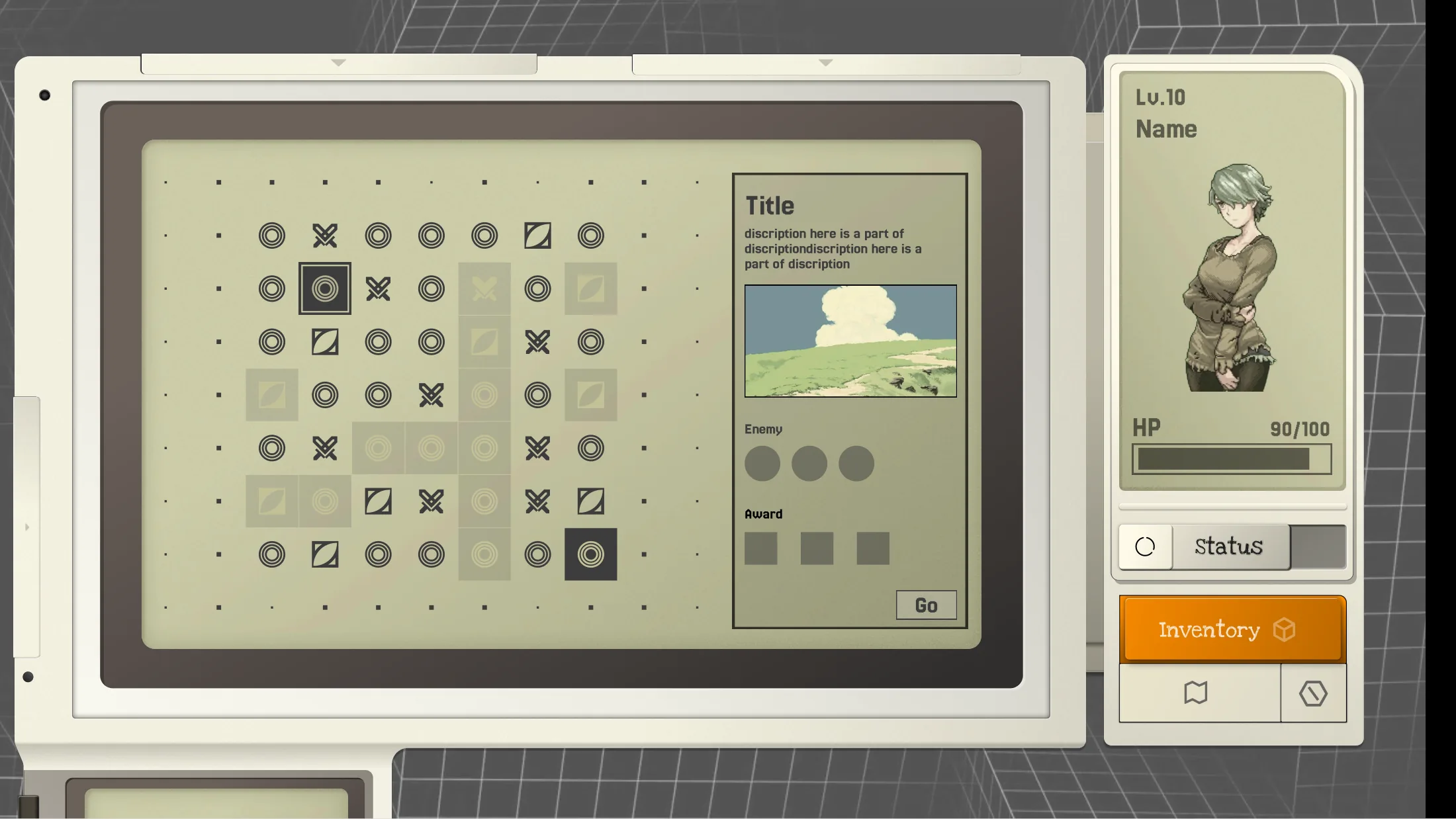
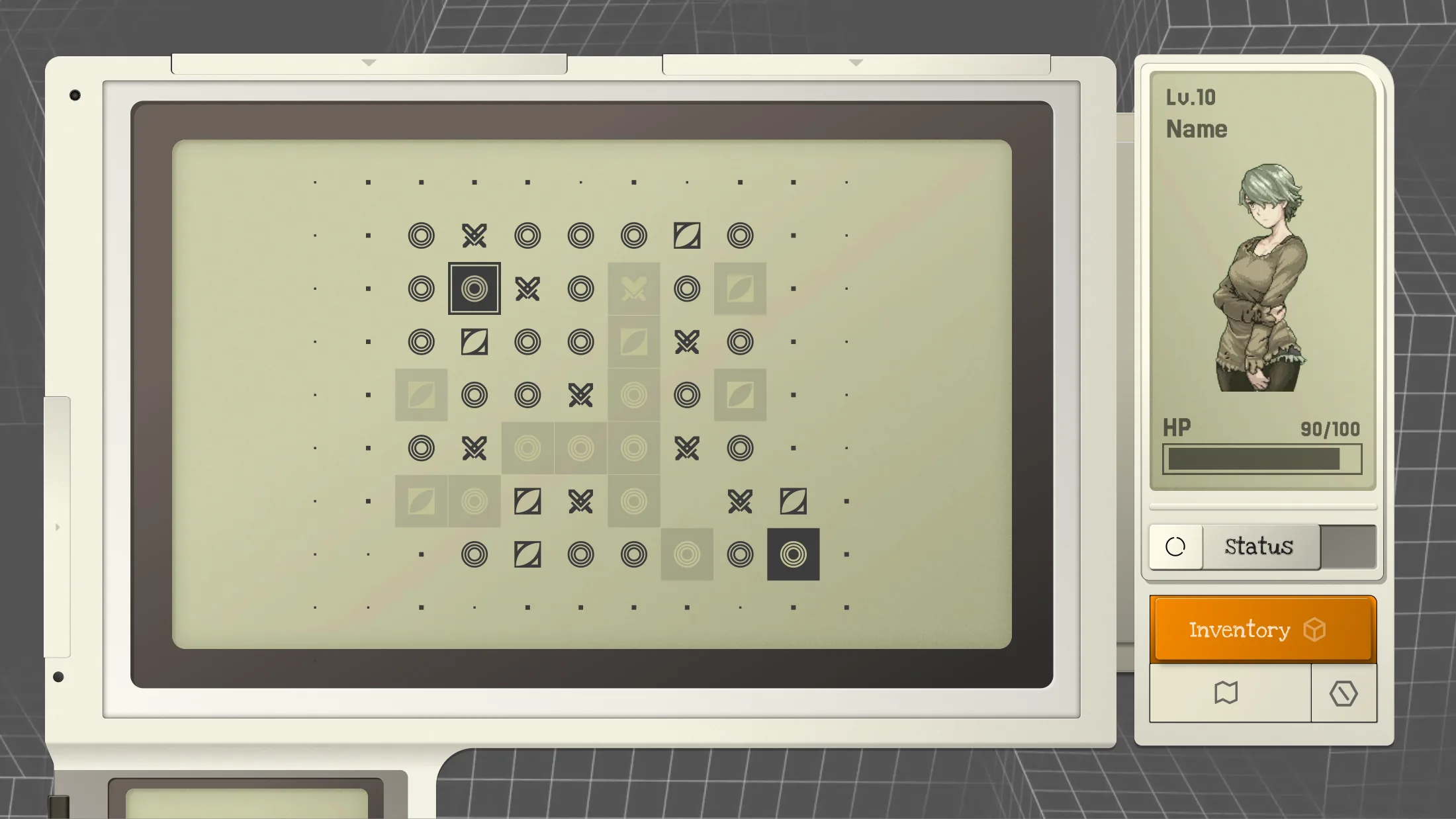
Use the map to understand nearby nodes, events, and possible paths.


Independent Game · UI & Visual Direction · 2025
I led the game’s overall UI design and visual direction, defining a unified design system and visual language across menus, exploration, map decisions, loadout management, encounters, and block-based combat. I oversaw the full design process from concept and prototype through implementation, and completed the game’s first playable demo.
First Playable Demo · 2025 ChinaJoy ToB
The interface borrows the logic of a retro console: a central screen, physical controls, side modules, cartridges, and status displays that feel attached to the game world.
UI & VISUAL DIRECTION · YANSONG TENG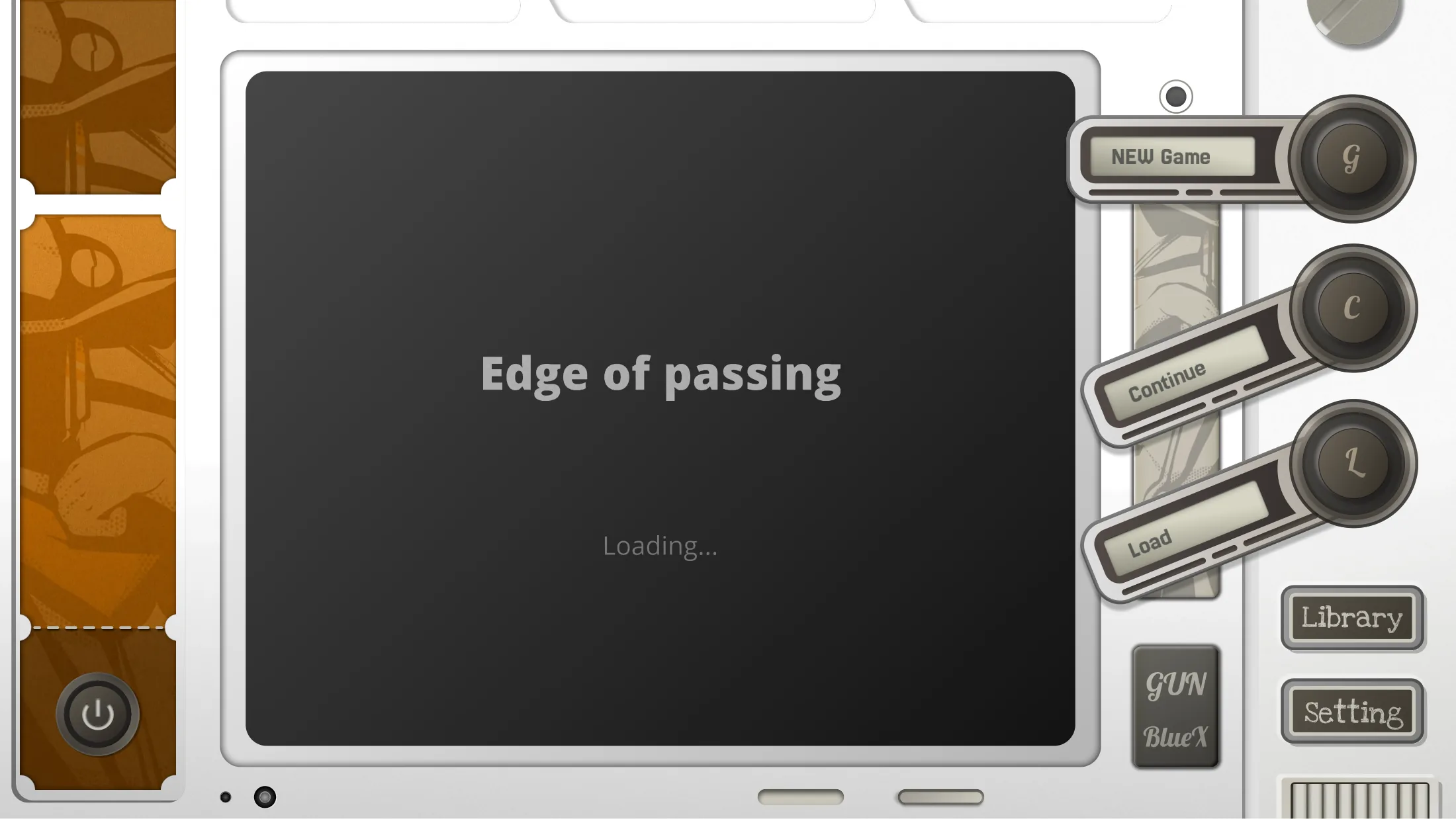
I led the complete UI design and visual style definition, established the design guidelines and shared visual language, and supervised the full workflow from concept and prototype to implementation. I also completed the game’s first playable demo.
01 · What the Game Does
Edge of Passing is a roguelite built around memory as a resource. The player moves through generated routes, encounters fragments and creatures, equips skills, active items, and relics, then enters battles shaped by Tetris-inspired block manipulation.
The UI therefore has to connect two rhythms: slower exploration and loadout decisions outside combat, then compressed information and immediate actions during combat. These flows were implemented in the first playable demo and presented in the independent games section of the 2025 ChinaJoy ToB exhibition.
Use the map to understand nearby nodes, events, and possible paths.
Review skills, active items, relics, resources, and character status.
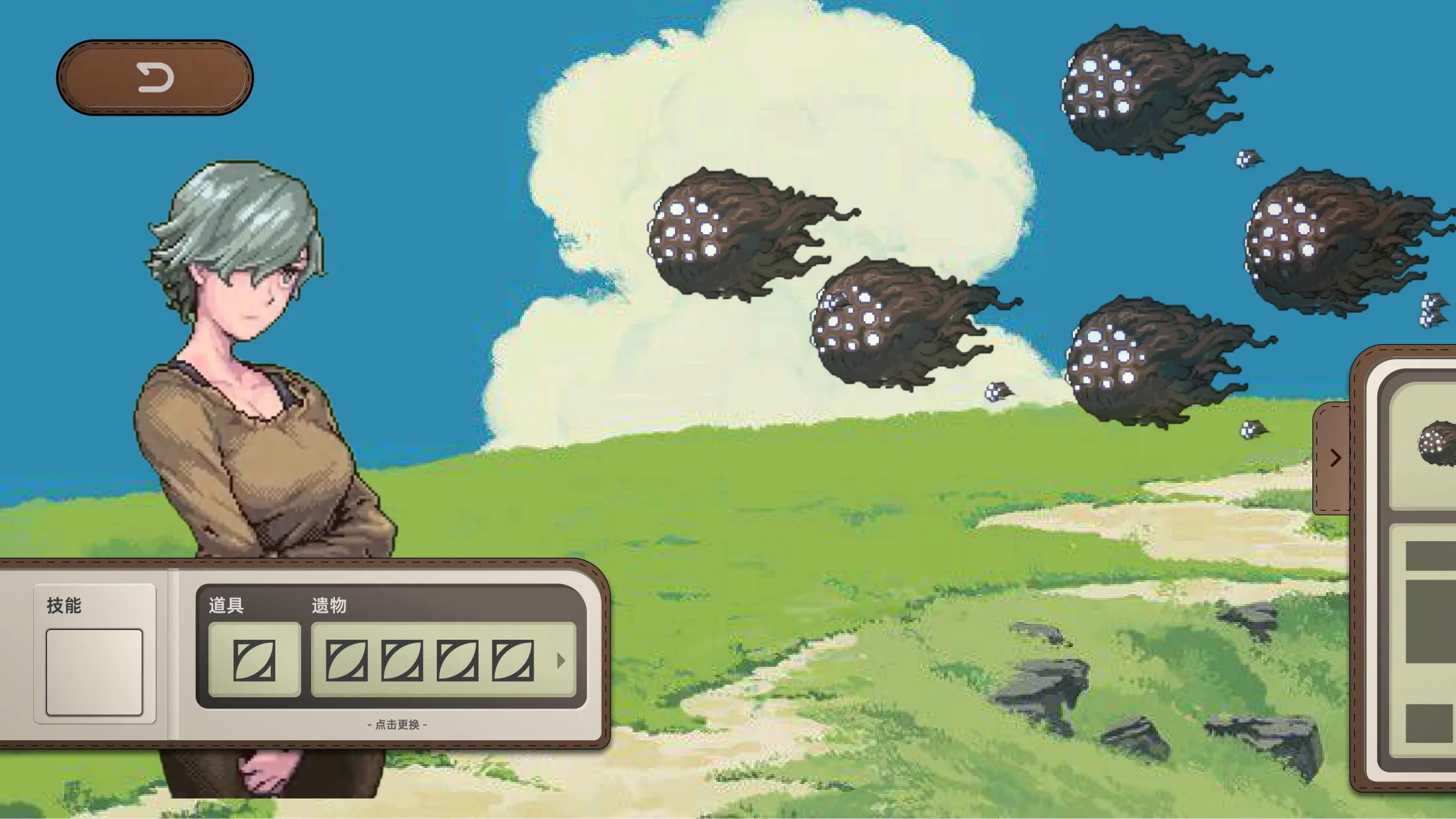
See enemy identity, position, behavior, and the last chance to adjust.
Track the grid, next blocks, abilities, health, enemy intent, and timing.
02 · UI Scope
The production brief required the interface to cover the full journey: entry and save states, a codex, map navigation, equipment, settings, combat preparation, battle, events, and rewards. Reusable screen frames and side modules keep those states connected.
New game, continue, load save, library or codex, credits, and settings.
Mini-map, expanded route, node types, tracking, and enter-area action.
Skills, active items, relics, resources, character health, and descriptions.
Enemy preview, grid, next block, abilities, combo, intent, countdown, and rewards.
03 · UX Surface Classification
The completed UI can be understood as four UX layers. The classification clarifies which elements should feel like part of the fictional machine, which must stay visible during play, and which can temporarily take over the screen.
The central display, rotary selectors, side screens, buttons, and cartridge slots behave like physical parts of the player's equipment.
Health, remaining lines, next block, enemy status, action countdown, and pause remain available while the player acts.
Expanded map, inventory detail, skill explanations, encounter preview, and rewards open when a focused choice is required.
Start, continue, saves, codex, credits, and settings sit outside the immediate game loop but retain the same machine language.
04 · Exploration UI
The main screen carries the route while a narrow status module keeps character identity and health visible. Inventory remains one action away, and physical-looking selectors preserve the sense that the player is operating an object rather than opening a generic app panel.
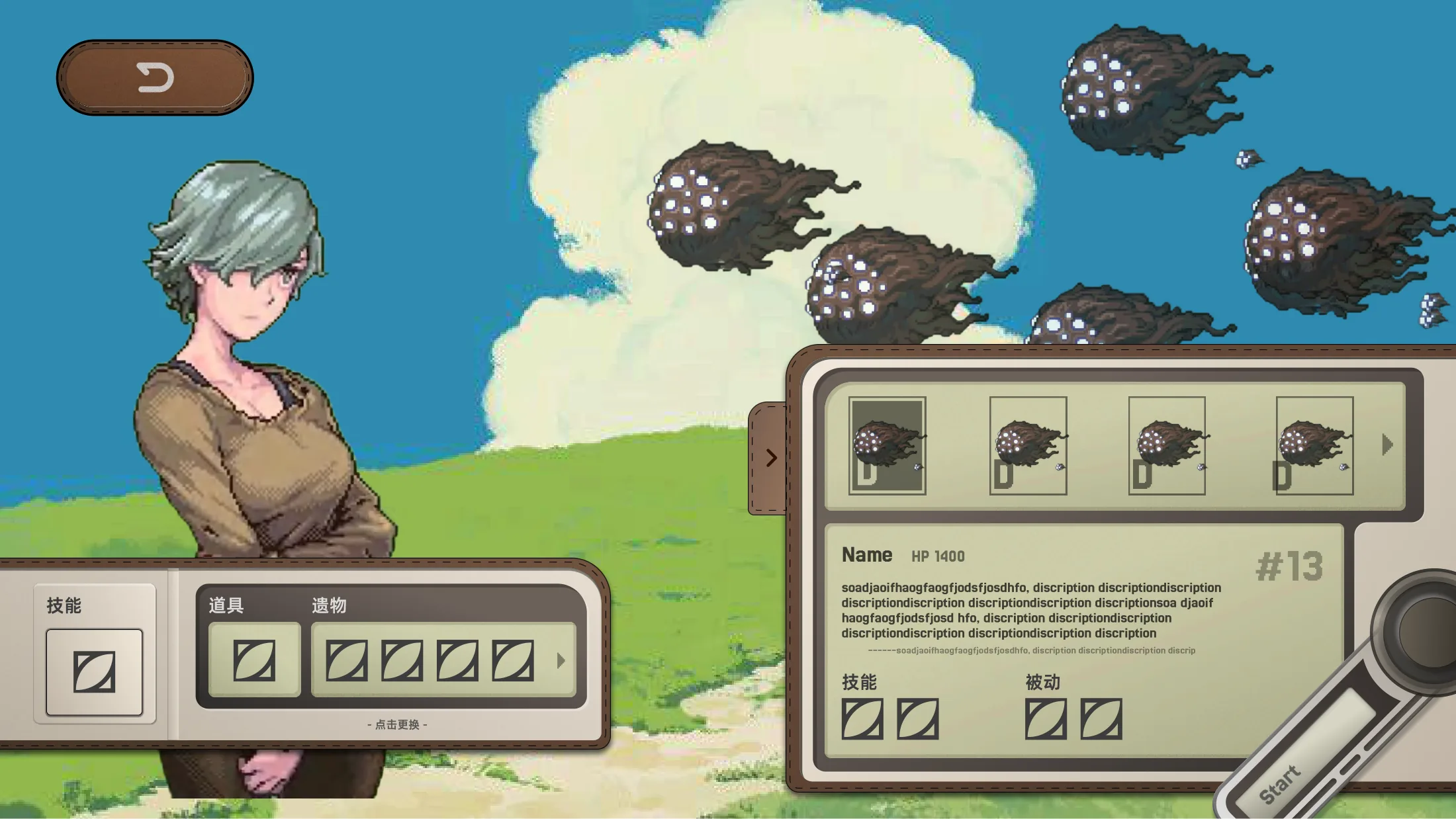
05 · Loadout & Encounter UI
Skills, active items, relics, resources, and enemy information can easily overwhelm the screen. The interface starts with compact slots, then opens a larger detail panel only when the player selects an item or needs to inspect an encounter.
06 · Battle HUD
The grid remains the dominant focus. Supporting modules sit around its edges: next blocks above, character health and inventory to the left, equipped actions below, and enemy state in a separate view. This creates a stable scan path without covering the playfield.
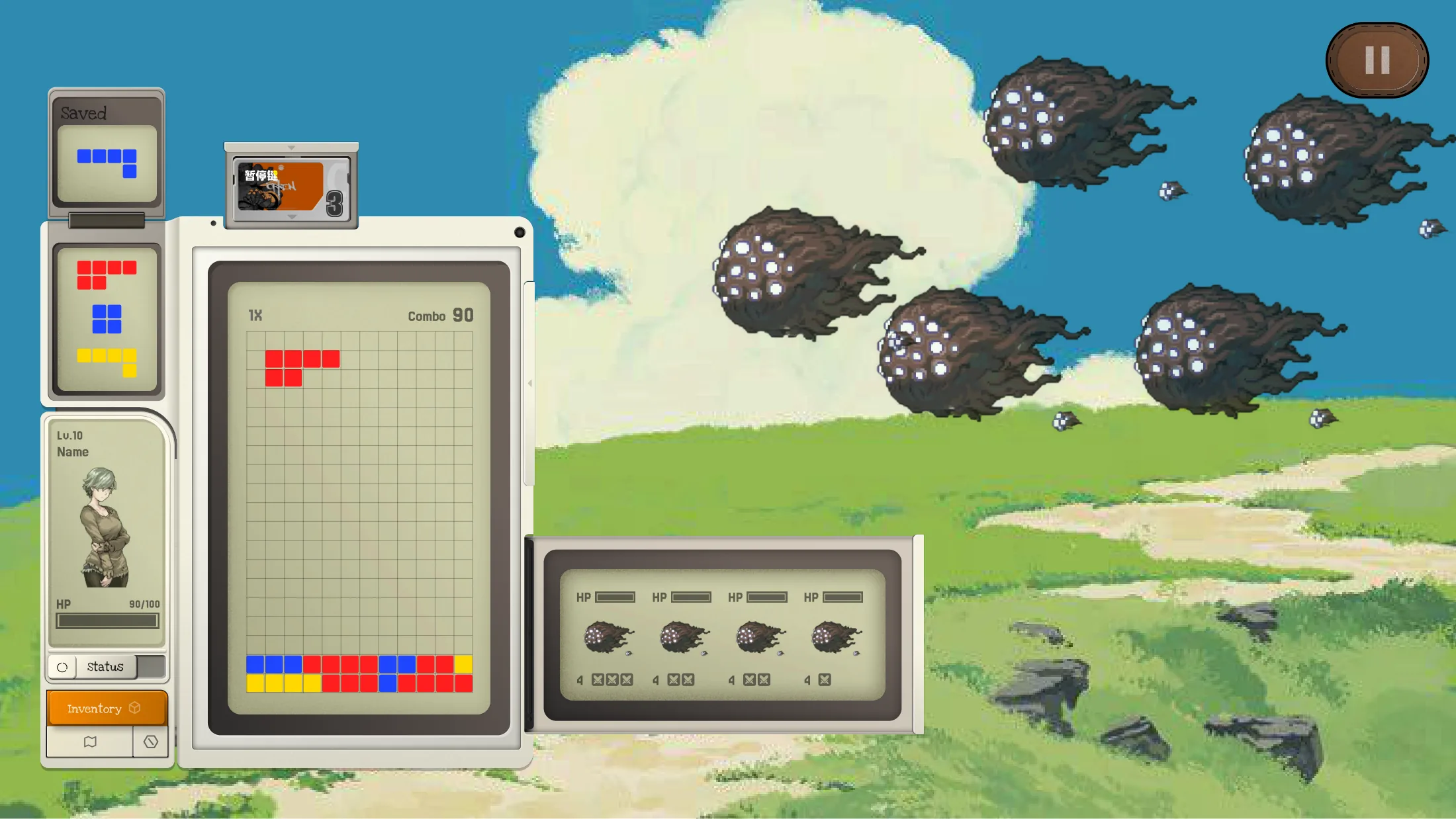
The largest, highest-contrast module owns the center of attention.
Small secondary displays support planning without competing with the current move.
Health, remaining lines, intent, and countdown stay separated by ownership.
Skills and active items remain close to the playfield as immediate controls.
07 · First Playable Demo
I completed the first playable demo of Edge of Passing, bringing the unified UI and visual language into a functioning game experience. The interface guided players from entry and route planning through build management and block-based combat.
The project was selected for the independent games section of the 2025 ChinaJoy ToB exhibition, where the demo was shown as a working game rather than a presentation-only interface concept.
Edge of Passing was presented in ChinaJoy’s ToB exhibition as part of the independent games section.
08 · Visual Language
Warm gray housings, aged cream displays, recessed screens, screws, vents, rotary controls, and cartridge-like modules create one diegetic console. The UI can change state without losing its physical identity because every function appears to occupy a believable place in the machine.
A complete interface system that lets exploration, preparation, and combat inhabit the same machine.